


Learning pathBeginnerStep 3 of 15
Crypto wallets: self-custody or third-party custody
A wallet does not store coins: it stores the keys that control them. When to leave them on an exchange and when to hold them yourself.
 By Redacción Crypto InformaReading time: 3 min
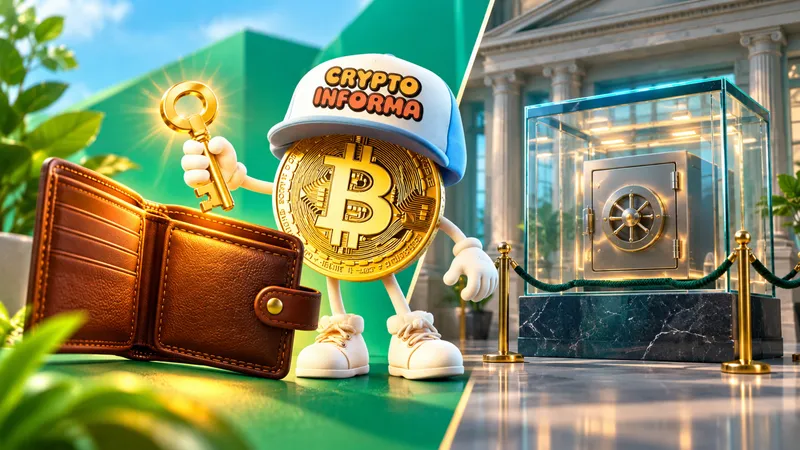
Cryptocurrencies are not stored in a file or inside a device: they live on the blockchain. A wallet stores the keys that allow you to move them. The important question is therefore not “which wallet should I use”, but who holds the keys.
The essentials
- A wallet does not store coins: it stores the keys that allow you to move them.
- With third-party custody (an exchange), you depend on the company; with self-custody, you depend on yourself.
- Hot wallets are convenient but more exposed; hardware wallets better protect amounts you do not move often.
- Before using a wallet with real money, always test it with a small amount.
Third-party custody
When you buy on an exchange and leave your balance there, the platform holds the keys and you have an account with a username and password. It is convenient: if you forget your password, support can help you recover it.
- Pros: easy to use, with support and account recovery.
- Cons: you depend on the company. If it goes bankrupt, is hacked or freezes withdrawals, your funds are at risk. The ecosystem sums it up in a phrase: not your keys, not your coins.
Self-custody
With a self-custody wallet, you generate and store the keys yourself. Nobody can freeze your funds, but nobody can help you if you lose the keys either.
Types of wallet
- Hot (software): mobile or desktop applications or browser extensions. Always connected to the internet: convenient for everyday use, but more exposed to malware and fake websites.
- Cold (hardware): physical devices that store keys offline and sign transactions inside the device. Recommended for amounts you will not move often.
- Multisignature: require several keys to move funds. We cover them at the advanced level.
How to choose, step by step
- If you are starting out with small amounts, an exchange authorized in your country is a reasonable starting point.
- As the amount grows, move the portion you will not use to a self-custody wallet.
- For long-term savings, consider a hardware wallet purchased from the manufacturer's official website.
- Before moving everything, make a test transfer with a small amount.
A recent case shows why the place you buy hardware matters: in October 2026, Singapore police reported tampered hardware wallets sold in retail stores.
What a wallet actually does
- Generates and stores your keys.
- Displays your balance by reading the blockchain.
- Builds and signs the transactions you send.
- On networks such as Ethereum, connects to decentralized applications so you can sign operations.
Everything starts with a private key, a secret number. The public key is calculated from it, and the address you share to receive funds is derived from that. This is a one-way process: an address cannot reveal the private key. You can therefore show your address safely, but never your key or recovery phrase.
Quick comparison
- Exchange: the easiest option, with support, but the company holds the keys. Risks: bankruptcy, hacking or withdrawal restrictions.
- Hot wallet (app or extension): personal control and convenience for everyday use. Risks: malware, fake websites and rushed signatures.
- Hardware wallet: keys never leave the device and each transfer is confirmed on its screen. Risks: buying a tampered device or losing the backup.
- Multisignature: requires several keys to move funds. More secure and more complex: intended for large amounts.
How to install a wallet without choosing a fake
- Start from the project's official website, typing the address yourself rather than following an advertisement.
- In the app store, check that the developer and download count match what you expect.
- Be wary of applications with reviews that all look alike or were posted recently.
- Do not install anything from a link received in a message.
- When in doubt, find the official address through an independent source and compare.
Common mistakes
- Saving the recovery phrase in a photo, a phone note or the cloud.
- Buying a used hardware wallet or one with an opened box.
- Leaving all your savings on a small or little-known exchange.
- Using the same wallet to test questionable applications and store your savings.
- Never testing recovery from the backup.
Next step: learning to protect the recovery phrase, the master key to any self-custody wallet.
Tags
This is information, not financial advice. Before deciding, compare sources and consider your own situation.